
How to Set Up Your NPI Card Machine: Quick Start Guide for Irish Businesses
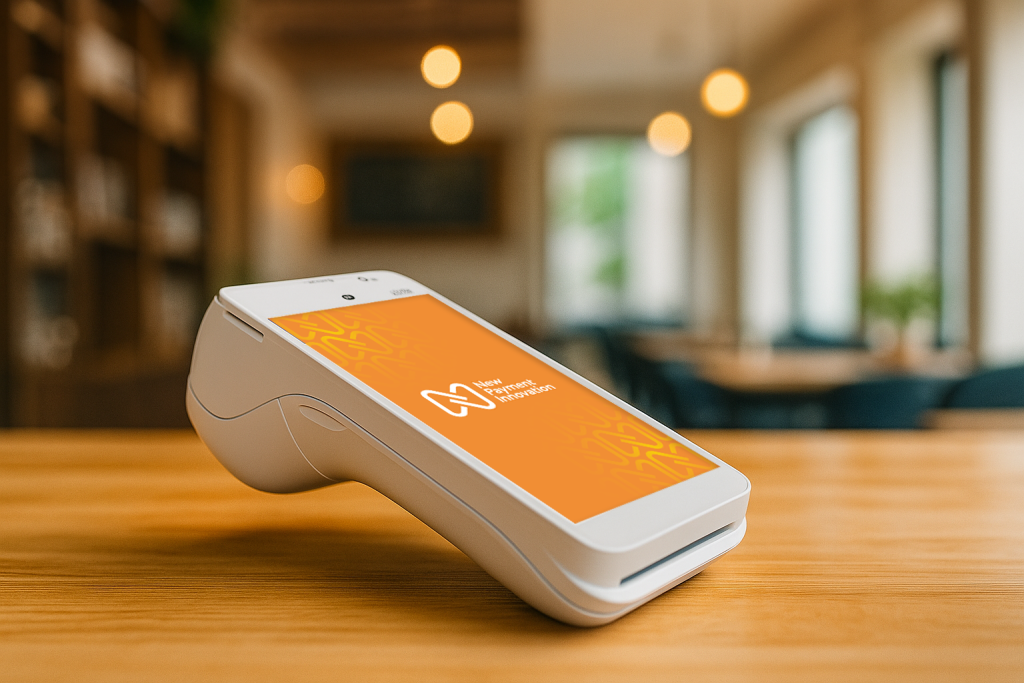
NPI card machine setup is one of the fastest and most straightforward things you can do to get your business ready to accept card payments. Whether you are a retailer opening your first shop, a mobile trader heading to a market, or a hospitality business welcoming your first guests, your terminal is designed to be up and running in minutes, not hours. This guide walks you through every step of the NPI card machine setup process, so you can start taking payments with total confidence.
What Is Included in Your NPI Card Machine Setup Box
When your terminal arrives, check that everything is present before you begin your NPI card machine setup. Your package should include the card machine itself, a charging cradle or cable, a roll of thermal receipt paper, and any relevant documentation. If anything is missing, contact the NPI support team on 01 447 5299 straight away before attempting to proceed.
NPI offers a range of payment terminals to suit different business types. The PAX A920, for example, is a compact wireless device that accepts Visa, Mastercard, Maestro, Apple Pay, Google Pay, Samsung Pay, WeChat Pay, and Alipay, covering every major payment method your customers are likely to use. Before you power on your device, take a moment to familiarise yourself with the physical layout: the touchscreen, the power button, the card slot, and the contactless reader at the top of the device.
Step 1: Charge Your Device Before Starting NPI Card Machine Setup
The very first step of your NPI card machine setup is giving the terminal a full charge. Place it in its cradle or connect it using the supplied cable. Most NPI terminals display a charging indicator on screen. A full charge typically takes one to two hours and ensures your device is ready for a full day of trading.
According to Retail Excellence Ireland, Irish businesses are processing more card payments than ever, which means your terminal needs to stay reliable and charged throughout your trading hours. Getting into the habit of charging your device overnight is a simple routine that protects your business during busy periods.
Step 2: Power On and Configure Your Settings
Once charged, press and hold the power button until the screen lights up. Your terminal will guide you through the initial configuration as part of the NPI card machine setup process. This typically includes confirming your language and region settings, connecting to your internet source via Wi-Fi or SIM depending on your terminal model, and downloading any required software updates.
The on-screen prompts are clear and easy to follow. If your terminal uses Wi-Fi, you will need to enter your network name and password at this stage. If it operates on a SIM card, it will connect automatically once the SIM is active. Should you hit any snag, the NPI support team is always on hand to help you through it.
Step 3: Link Your Terminal to Your Merchant Account
Your NPI card machine setup is not complete until the terminal is linked to your merchant account. This process is called merchant boarding, and NPI manages this through their Buddy platform, a dedicated merchant management and reporting portal.
During onboarding, your account manager will have pre-configured the terminal with your unique merchant ID. Once the device connects to the internet, it communicates with NPI’s secure payment gateway and confirms the link automatically. You will see a confirmation message on screen when the connection is successful.
To double-check that your NPI card machine setup is working correctly, run a test transaction using a low-value purchase on your own card. A successful result confirms everything is connected and ready for live trading. As the Central Bank of Ireland confirms, all payment terminals operating in Ireland must meet PCI DSS security standards. NPI card machines are fully compliant, so you can take payments with complete peace of mind.
Step 4: Set Your Receipt Preferences
A key part of a smooth NPI card machine setup is configuring how your receipts work. Your terminal gives you full flexibility: you can print a paper receipt, send a digital receipt via email or SMS, or offer your customer both options. To adjust these settings, navigate to the settings menu on your terminal and select the receipts option.
For businesses with a high transaction volume, printing every receipt can burn through paper rolls quickly. Setting your terminal to prompt customers to choose their receipt preference is a small but practical way to reduce waste and keep running costs down. Keep a spare receipt paper roll in your till area so you are never caught short on a busy day.
Step 5: Take Your First Payment
Your NPI card machine setup is complete. Here is how a standard transaction works from start to finish.
- Enter the payment amount on the keypad, or receive it automatically if your terminal is connected to a point-of-sale (POS) system.
- Present the terminal to your customer.
- Your customer pays by tapping their card or phone for contactless payments, inserting their card for chip and pin, or swiping for magnetic stripe cards.
- The terminal processes the payment, displays an approval message, and prompts for a receipt choice.
- The transaction is complete and funds are on their way.
NPI terminals process payments quickly, keeping queues short and customers happy. Funds settle to your business account on a next-day basis, which is a real advantage for cash flow. For guidance on how contactless payment limits work in Ireland, Fintech Ireland is a useful and up-to-date resource.
Getting the Most Out of Your NPI Card Machine Setup Every Day
A successful NPI card machine setup is just the beginning. A few simple habits will keep your terminal performing at its best day to day.
Keep the screen clean by wiping it gently with a soft, dry cloth. Dust and grease on the touchscreen can slow down the tap-to-pay experience for your customers. Restart your terminal if it ever appears slow or unresponsive, as this refreshes the connection and clears any temporary data.
Log in to the NPI Gateway portal regularly to review your transaction reports and daily settlement figures. The Buddy platform gives you a clear, real-time overview of all your payment activity in one place, which is invaluable for staying on top of your business finances.
If your business grows to include multiple locations or additional staff, speak to your NPI account manager about adding terminals or configuring user permissions. Your NPI card machine setup can scale as your business does.
Ready to Complete Your NPI Card Machine Setup? We Are Here to Help.
A smooth NPI card machine setup should feel supportive and simple, not stressful. If you have any questions at any stage, our team is ready to help you get sorted quickly. Hundreds of Irish businesses have completed their setup with NPI and have been taking card payments with ease from day one.
Get in touch with the NPI team today. Call us on 01 447 5299 or visit npi.ie/contact to speak with one of our payment specialists. We will make sure your setup goes smoothly, so you can get back to focusing on what matters most: running and growing your business.
New Payment Innovation | Ireland’s Fastest-Growing Merchant Services Provider | npi.ie | 01 447 5299